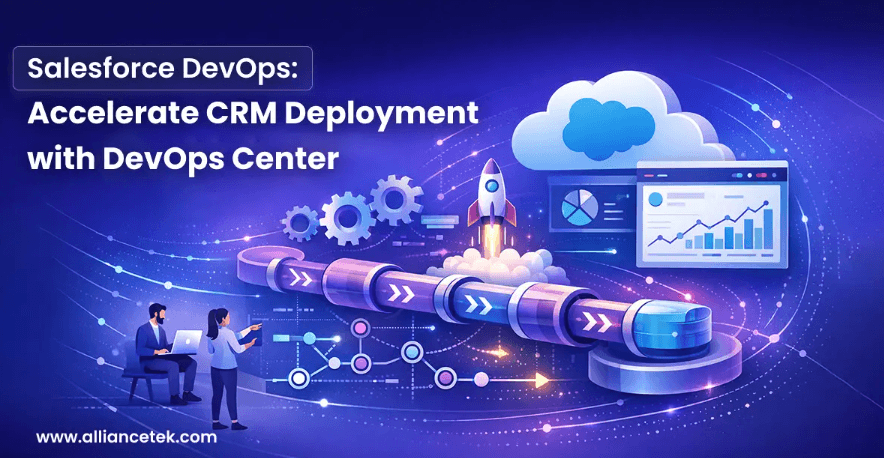
Companies are using Salesforce to handle customer relationships, sales, and service contacts. The CRM systems of organizations become more sophisticated as they expand with tailor-made workflows, integrations, and automation. It may be hard to manage such changes without interrupting the work.
Development environments are often updated frequently, and teams need to collaborate, which complicates deployment. It is here that Salesforce DevOps comes in. With structured development practices and automation, teams are able to release updates more quickly and with reduced errors.
In the article, we will discuss the Salesforce Devops functionality and how the DevOps center can assist the organization in deploying CRM faster without damaging the stability of the systems.
Understanding Salesforce DevOps
DevOps is a collection of practices that bind operations and development departments to enhance software delivery. It is used in the Salesforce environment to manage code changes, configurations, testing, and deployments in the various environments.
The Salesforce CRM development services often help organizations to develop new features, integrations, and automation. With the increasing scale of the platform, these updates become hard to manage manually.
DevOps brings well-defined processes that enable the teams to monitor the changes, test them, and launch safely without disrupting the business.
What Is Salesforce DevOps Centre?
Salesforce DevOps Center is a tool that is aimed at supporting teams in managing development work and deployments. It offers a methodical system of the arrangement of tasks, controlling code modifications, and updating environments.
Many businesses engage with a Salesforce development company to establish DevOps workflows to fit their development processes.
DevOps Centre helps teams:
- Monitor activities and tasks on the track.
- Control code using version control systems.
- Transfers between environments in a controlled manner.
- Enhance the cooperation between developers and administrators.
This is a systematic method that minimizes confusion and maximizes the deployment.
Why Traditional Salesforce Deployments Slow Down Teams?
Even today, lots of organizations use manual deployment. Sandbox environments are changed by developers and then manually transferred to production. The process may cause mistakes, delays and updating conflicts.
Companies that hire advanced Salesforce CRM development solutions are likely to face difficulties including:
- Inability to track development changes.
- Between updates of developers.
- Challenge in following past deployments.
- Increased possibility of abortive releases.
In the absence of a proper system, minor updates might consume a lot of time to implement.
The Role of Version Control in Salesforce Development
One of the major aspects of Salesforce DevOps is the use of version control systems to manage code changes. This practice makes sure that all the changes are documented and that they can be traced back in time.
Writing Version control in Salesforce development gives teams an opportunity to store and maintain code in repositories like Git. Developers are able to look at the modifications, work in unison and keep an organized record of changes.
Version control offers a number of benefits:
- Better coordination of development teams.
- Clear tracking of changes
- Capability to revert updates in case of issues.
- Greater openness in development cycles.
Organizations choose to hire Salesforce developers who have experience with version control systems and DevOps workflows.
Automating Deployments with DevOps Center
Salesforce deployment efficiency has been significantly enhanced by automation. DevOps Center gives teams a chance to flow changes through environments with organized pipelines.
Firms that invest in Salesforce application development services usually use automated deployment pipelines as a method to cut down on human labour.
The typical steps of an Automated Salesforce deployment process are:
- Growth in sandbox environments.
- Code to version control repositories.
- Automated testing and validation.
- Deployment to staging environments.
- Last release into production.
Automation minimizes human errors and greatly accelerates the release cycles.
In a bid to address the continuous development action, most organizations often hire dedicated Salesforce developer resources that handle the deployment pipeline and environment management.
CI/CD for Faster Salesforce Releases
Continuous Integration and Continuous Deployment (CI/CD) allow development teams to provide updates regularly and ensure quality.
Through CI/CD Salesforce development, teams can automatically test and validate code modifications and release them to production.
CI/CD pipelines help organizations:
- Detect errors early in the development cycle
- Automate testing and validation
- Deploy updates faster and more reliably
- Maintain consistent development environments
Many companies rely on Salesforce consulting services to design and implement CI/CD pipelines that match their development strategy.
In distributed teams, organizations may also hire Remote Salesforce developers who contribute to CI/CD workflows from different locations.
See also: Streamlining Technology with Efficient AIO Solutions
Managing Releases with DevOps Center
As Salesforce environments grow, coordinating releases becomes more complex. Multiple developers may be working on different features simultaneously.
This is where Salesforce release management becomes critical.
DevOps Center helps teams manage releases by organizing work items and tracking changes associated with each update. This ensures that all components are tested and ready before they reach production.
Businesses delivering tailored CRM platforms through Salesforce customization services rely heavily on structured release management to avoid conflicts between custom features.
To maintain high development standards, many organizations hire the best Salesforce developers who understand release planning and deployment processes.
Benefits of Implementing Salesforce DevOps
Adopting DevOps practices can significantly improve the efficiency and reliability of Salesforce development.
Organizations that complete Salesforce DevOps center implementation often experience benefits such as:
- Faster release cycles
- Reduced deployment errors
- Better collaboration between teams
- Improved visibility into development activities
- More reliable Salesforce environments
To support growing development demands, companies frequently hire top Salesforce developers who specialize in large-scale Salesforce projects.
In more complex CRM environments, businesses may also hire expert Salesforce developers to design scalable DevOps frameworks.
Some organizations prefer to hire certified Salesforce developers to ensure that their development teams follow Salesforce best practices.
When implementing new DevOps processes, companies often hire Salesforce consultants who guide them through workflow setup, automation strategies, and release planning.
Conclusion
Salesforce DevOps has become essential for organizations that want to deliver CRM updates quickly while maintaining system stability. As Salesforce environments grow in complexity, managing deployments through manual methods is no longer practical.
DevOps Center provides the structure needed to manage development tasks, automate deployments, and maintain visibility into every change made to the platform.
By combining version control, CI/CD pipelines, and automated deployments, businesses can accelerate CRM innovation without risking operational disruptions. With the right DevOps strategy in place, organizations can ensure their Salesforce platform continues to support long-term growth and efficiency.